




What Is Two-Factor Authentication (2FA), and How Does It Work?

The theft and use of personal data have become an absolute disaster. Hackers use the data to steal money or publish sensitive content that defames the honor and dignity of a person. Thus, a person can lose all their money, bills, credit history, reputation, and even their job in one day.
However, the world of encryption does not stand still, coming up with new ways to secure information. For example, one can use two-factor authentication. In this article, we’ll tell you how to protect yourself as a user and how to implement 2FA in your product for a business.
What Is 2FA (Two-Factor Authentication)?
Analyzing the meaning of two-factor authentication (2FA), it is worth recalling how the identity is confirmed in the usual case. You have registered on a social network and come up with a username and password without taking other actions to protect yourself. Next time, the social network will ask you for a password and a login to confirm your identity; this is a knowledge factor. A criminal can possess this knowledge and, just like you, log into the account. This authentication is called SFA — single-factor authentication.
So, what definition of two-factor authentication follows from this? It is an additional step, a factor that is added to the password and username. It can be anything that confirms the identity: a fingerprint, a security code, a security question, etc. Cybercriminals won’t easily access this information or bypass the system, as with the situation described above.
How Does Two-Factor Authentication Work for Business and the End User?
We talked about the knowledge factor (password/login, for example), and we’ll start with it:
- The “I know” factor: you can know the password, the answer to the security question, the correct picture, the PIN code, or a particular keystroke. Some of this information can be sent to an email, phone number, or private message: this is how a person confirms that he owns a device, email box , phone number, or other related applications. It is how the user proves that he knows — the knowledge factor.
- The “I own” factor: the best example is a bank card, one of the factors that confirms the identity is the fact that you have the card. I own the card — I prove this identity, the “I own” factor.
- The “I am a certain person” factor has several biological characteristics, and the most unique is a fingerprint. In addition, voice, face photos, or iris scans are used (for advanced users or those who have watched many spy movies).
- The “time is limited” factor: a time limit is often given when checking an identity, from 30 seconds to several hours. It is assumed that the original owner will prevent hacking during this time, confirm his identity, or update the data.
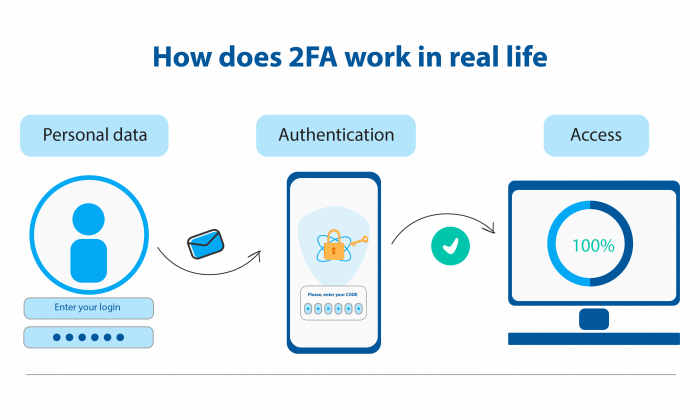
For the end user, the flow goes as follows:
- The user is on the login page; they must enter the username and the password.
- The server finds a match and recognizes the user.
- There is a second authentication step in confirming the identity to log in — in the application settings; before that, you had to specify the confirmation method. These are biometric data, an identity card, the presence of a smartphone, the choice of a picture, or the answer to a code question.
- Access is open or declined if you entered the wrong confirmation data.
Two-Factor Authentication Implementation Requirements
Most systems have the exact two-factor authentication requirements. To ensure the security of the account, you need to:
- Remember your password.
- Update information about the trusted phone number and backup email.
- Ensure the safety of your devices.
- Carefully monitor the push notifications.
Why Use Two-Factor Authentication for Your Project?
People Create Simple Passwords.
Stupidly simple: an analysis of 1.4 billion passwords showed that most are very simple and short in length. These are repeated numbers (“55555”), a sequential set (“123456” or “qwerty”), and the apparent words “password,” “idontknow”, ”mypassword”).
The More Accounts, the More Difficulties.
A person uses 50+ accounts regularly, and it is impossible to remember all the passwords. If a person has come up with one password, most likely, similar passwords will be on all other accounts.
Everything Is in Vain.
The more characters, the higher the security? Doubts are already creeping up. With so many data leaks, people are getting desperate and don’t want to worry anymore. People are tired of security.
Why Two-Factor Authentication Is Important:
- to protect your bank accounts;
- to prevent the leakage of compromising photos, videos, and correspondence;
- to protect your work account so that hackers do not get into your company’s information storage;
- so that your credit history does not turn into negative points;
- to prevent hackers from getting to your bitcoin account;
- to save the privacy of other people, information about whom you may have.
Reasons to Use 2FA for Your Business:
- the company’s security increases, there is no data leakage;
- there is trust and loyalty of users because you care about their safety;
- there is no leakage of personal data about your employees or the work of the company;
- the users’ data of your service/platform/site is protected.
Types of Two-Factor Authentication
Two-factor authentication types that are used for protection:
Hardware Tokens
Verification process: first, you need to insert a USB token, log in to the desired website, enter the password, generate a one-time password using YubiKey, enter it and log in. You need to have a USB token that you insert into the device to log in to the account. Hardware tokens conduct the authentication process in different ways; for example, YubiKey is now popular on the market. With 2FA token help, you can verify your identity on many services, such as Gmail, WordPress, etc.
Sms and Call
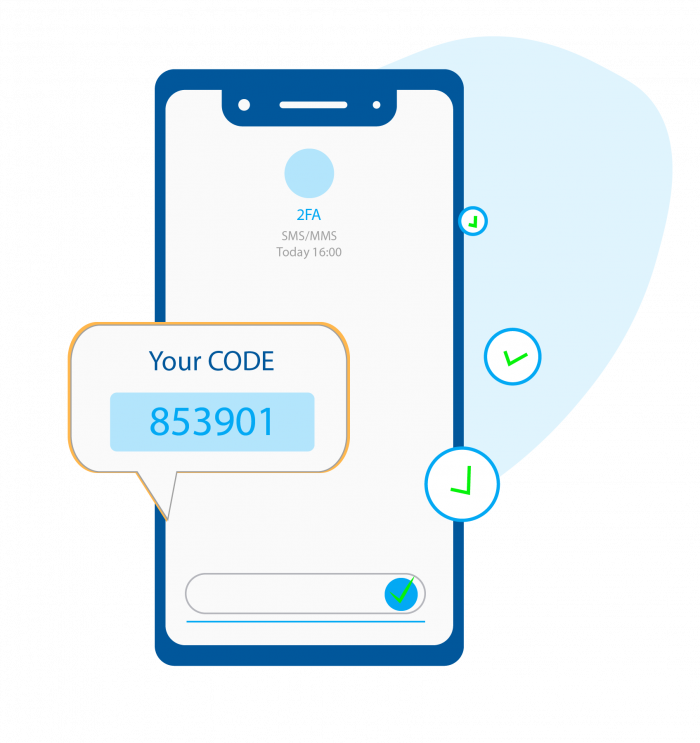
SMS with a code or calls are often used to verify your identity. In the SMS, you receive a code that you must enter when logging in. Calls can have the following features:
- the last four digits of the number that calls you are a code;
- you accept the ring is an identity confirmation;
- you accept the call and listen to the code that you need to enter into the system;
- you don’t accept or reject the call, and the system reads your possession of the phone.
Two-Factor Authentication Software
Application scheme: you enter your username and password, and the site sends a code to the application for re-authentication; you find this code in the application and enter it on the site. These are the applications that you download, like Google Authenticator.
Push Notifications
It is a two-factor authentication method in which a request is sent to the device to confirm the login attempt or not. A push notification proves identity without a password; it is also a convenient warning that someone is trying to log into the account. You can view the information about this attempt and reject it.
Biometrics
It is the “I am a certain person” factor, which was mentioned earlier. We need fingerprints, a voice, or a face.
Location
If the account was registered in Montenegro and logged in from this location, a sudden attempt to log in from Washington is considered a threat. The system will send you a request whether it was you, warn you about the attempt, and can send a security code to log in.
Two-Factor Authentication Examples
One of the good examples of two-factor authentication is a bank card. You are always required to prove your identity twice. First, you verify ownership — insert the card into the ATM, the “I own” factor. Then you are required to submit a PIN code — this is re-authentication, the “I know” factor.
Also, when you try to log in to a popular messenger, such as WhatsApp, you will be asked to re-confirm your identity. To begin with, you enter a phone number — in the messenger, it is very similar to the user name — then the system calls you to this number; this is the ownership factor. You do not need to accept or reject a call; the system recognizes the number’s authenticity and “lets” you into the account.
Push notifications from Google are also a great example of how 2FA works. Google often informs its users about a new device logged into the account, about an attempt, or a login from another location (location factor). Also, warnings and notifications confirm the action when someone entered an incorrect password several times.
Multi-Factor Authentication vs 2FA
Multi-factor authentication is a method of controlling access to a user account by two or more factors. It increases the protection of passwords and information that the user stores. To log in with multi-factor authentication enabled, a person must present more than one proof that the account is theirs.
How to Enable 2FA for Your Website or App?
Many popular sites and applications have added the ability to log in to your account using 2FA. Facebook, Instagram, Telegram, WhatsApp, Amazon, eBay, PayPal, and Dropbox are among them. To add two-factor authentication, you need to go to your account settings, find the security and privacy settings and enable two-step authentication.
Enabling 2FA for Google
How does two-factor authentication work in Google services? To avoid getting lost in the Google settings, the main thing you need to know is to look for “Two-step verification.” When setting it up, think about which method of re-authentication suits you best. Follow all the instructions described on the Google landing page for the service. What you can choose: order a Titan security key or send you a security code. After that, you can safely surf the Internet and receive notifications about risks or suspicious activity.
How to Set Up 2FA on Your Website
For many companies, users and information security become a priority. It is how they create brand loyalty, build user trust and protect themselves from information leaks. How to do two-factor authentication for a website? Let’s take as an example a site created on WordPress.
- Register a website on Google Authenticator — a service from Google for generating security codes for two-step authentication.
- Use the WordPress plugin to generate a QR code.
- Scan the QR code that will add your site to Google Authenticator.
The more complex your site is, the more important security is. BSG World offers owners and developers to connect 2FA using our services to ensure it is in full. It will ensure the users’ safety on your website.
Two-factor authentication is a tool to improve the user’s security and reduce risks and problems with data leakage. Our team helps to implement 2FA on websites and in applications. To try this, create a BSG World account or contact us.
Best Practices for Integrating Two-Factor Authentication for a Website or App
- Be sure to enable two-factor authentication without exceptions.
- Do not use your phone number for authentication. Thus, the thief will not be able to change it from the mobile operator. To avoid phone number fraud, configure it from Google Voice.
- Do not use an email-based account reset because a hacker can reset the password to a convenient device.
- Use different authentication methods for other accounts.
2FA Best Practices for Business:
- Wire the Google Authenticator to your working platform.
- Add as many identity verification features as possible using third-party services for convenience.
- Use the BSG World platform for total protection and continuous support service.
- Install 2FA on the applications that your team uses: Slack, Jira, Notion, and more.
Why BSG Is the Best Choice for 2FA
BSG World is an international mobile virtual network operator, and SMS messaging platform that gives reliable protection to your users. Now it’s even easier to connect 2FA!
The solution that we offer is one-time passwords that are sent via SMS. It is additional protection for your users’ accounts, another step for them to confirm their identity. With this solution, you will increase the security of user data on websites and applications, preventing hacking and information theft. BSG also offers a bulk SMS service that businesses can use to send SMS to mobile .
What Does BSG Offer?
- the ability to connect via API: our manager will help you to quickly and easily connect our API to your website or application;
- configure the content of an SMS with a password using ready-made templates or your style;
- ready-made embed code for websites or applications;
- quick setup, even if you’re not a developer;
- configure the length and format of the OTP password: in the 2FA service settings, you can choose the number of characters or digits, and the number of their combinations;
- support 24/7/365 — if you have any difficulties or questions, please contact us at any time, we will help.
Summing Up
Unfortunately, you will not be able to protect yourself or your business 100% from scammers. With the development of encryption technologies, decryption is also developing, which is always one step ahead. But it’s always a good idea to protect yourself a little more. Fortunately, many companies make it a habit to use two-factor authentication and encourage users to do so. If you are a user, be sure to take advantage of this opportunity; if you create products, ensure the security of your users.
In the future, we can expect significant progress in security — the use of blockchain and its decentralization are already attracting people who want to protect themselves and their information.


Interested in a special offer?
Ready to reach further?
Let’s talk


Related articles
With its ability to reach customers instantly and increase engagement, SMS marketing is a must-have for tech businesses. Learn why and how to use it in this blog.
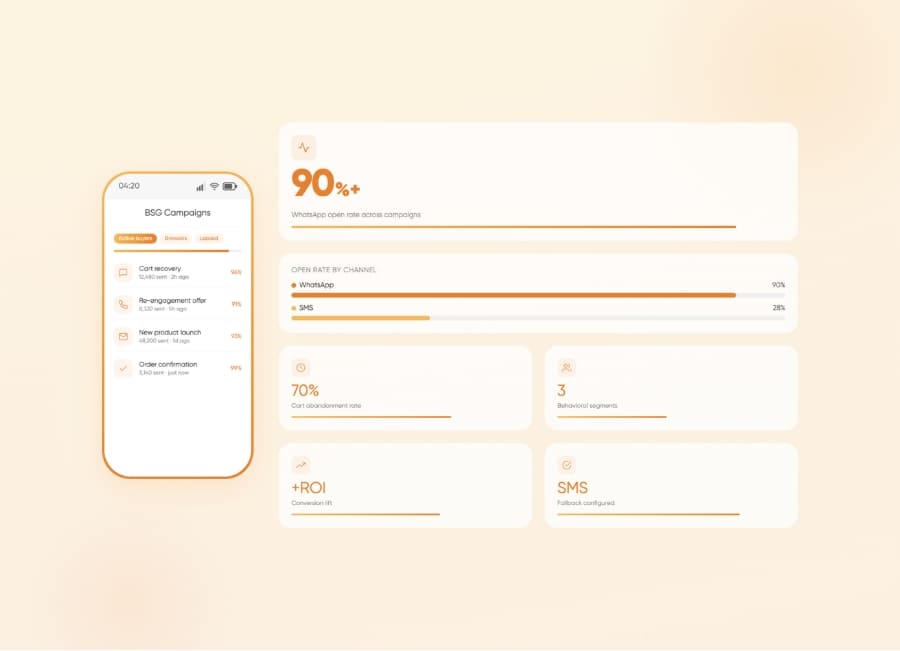
Your WhatsApp broadcasts get read — but orders aren't following. Five execution decisions that close the gap.
Three agents, one phone, conflicting answers - here's where the WhatsApp Business app ceiling costs eCommerce teams orders.